
Account management
Healtance Delete Account Guide
Follow the steps below to permanently remove your account.
- 1
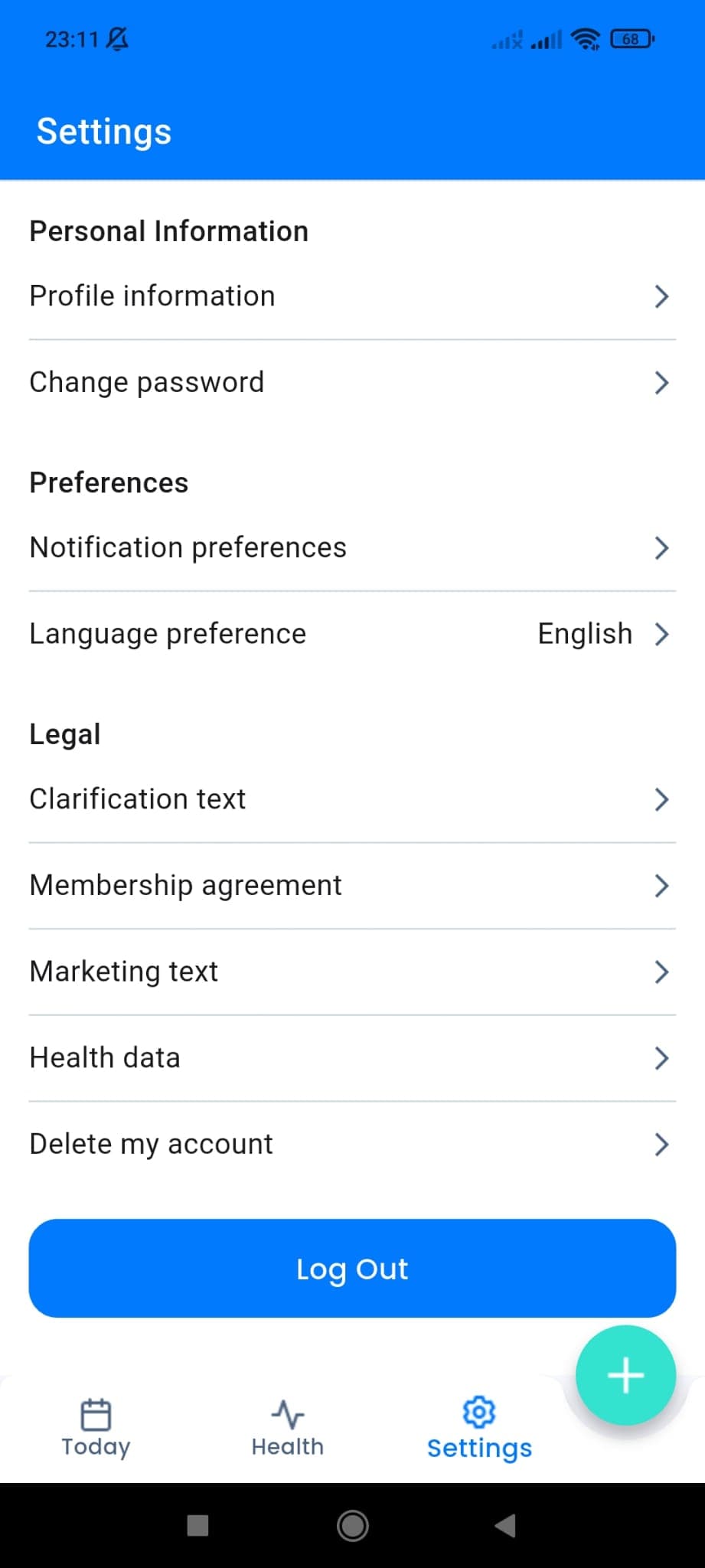
Open the settings screen
Go to the Settings tab in the app and find the Delete Account option.
- 2
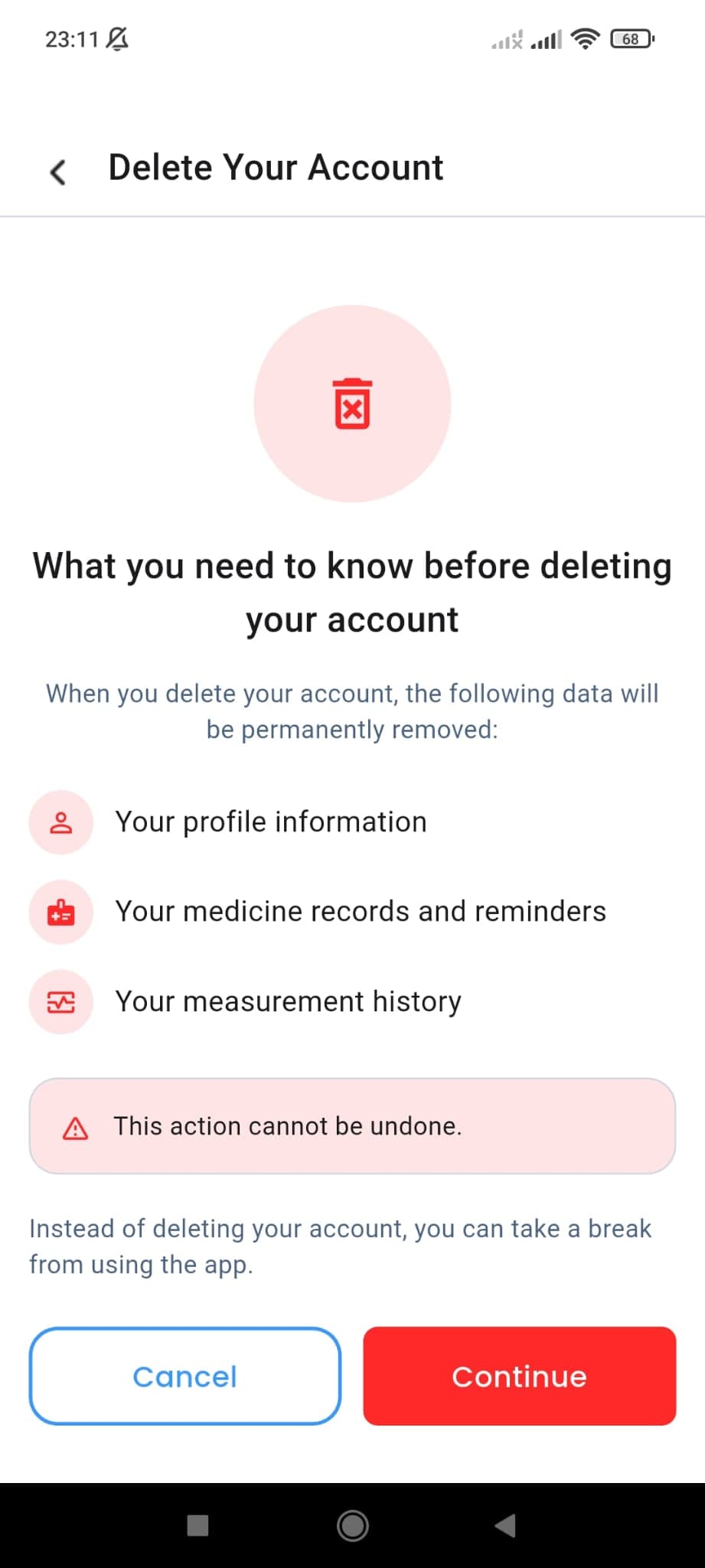
Review the delete account screen
Read which data will be permanently removed and tap Continue when you are ready.
- 3
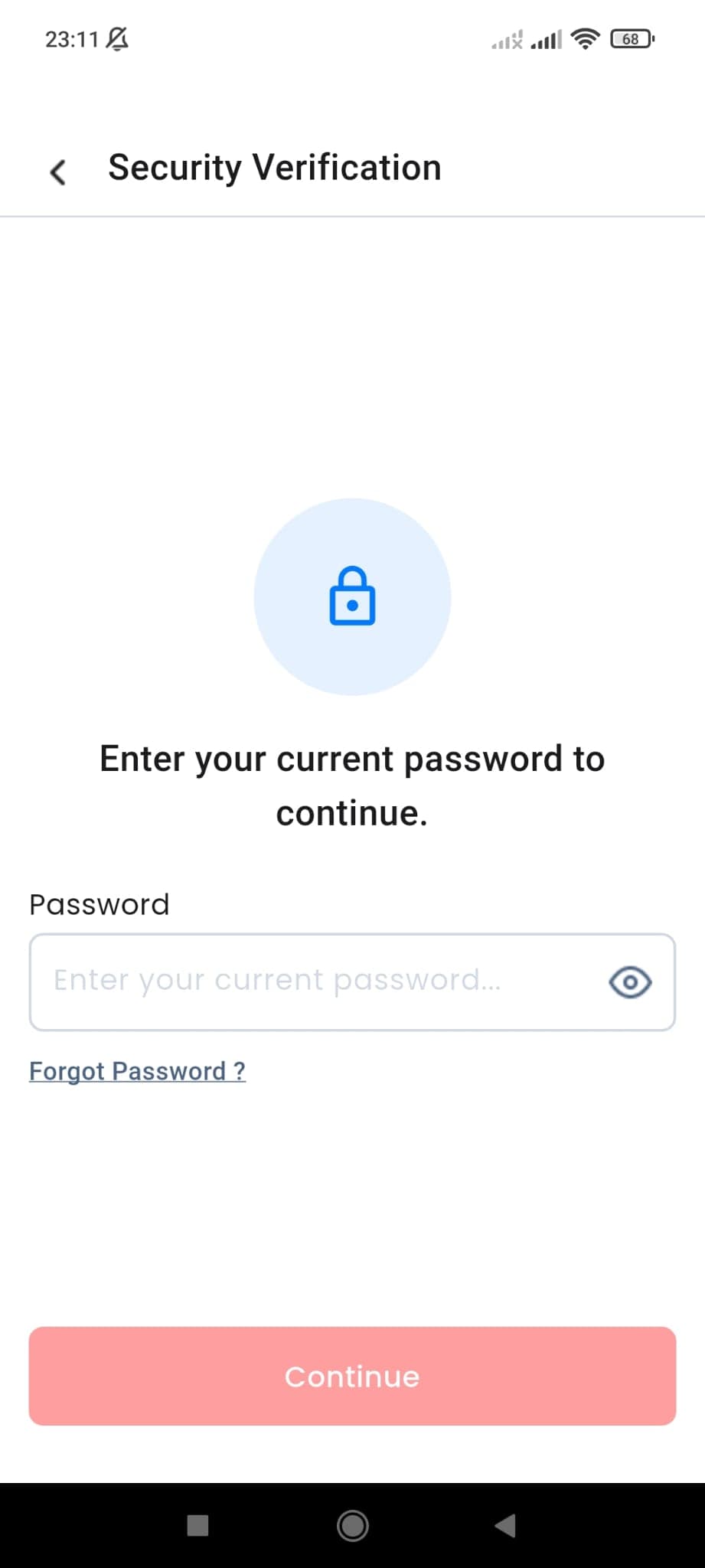
Verify your current password
Enter your current password for security verification. You can use the forgot password flow if needed.
- 4
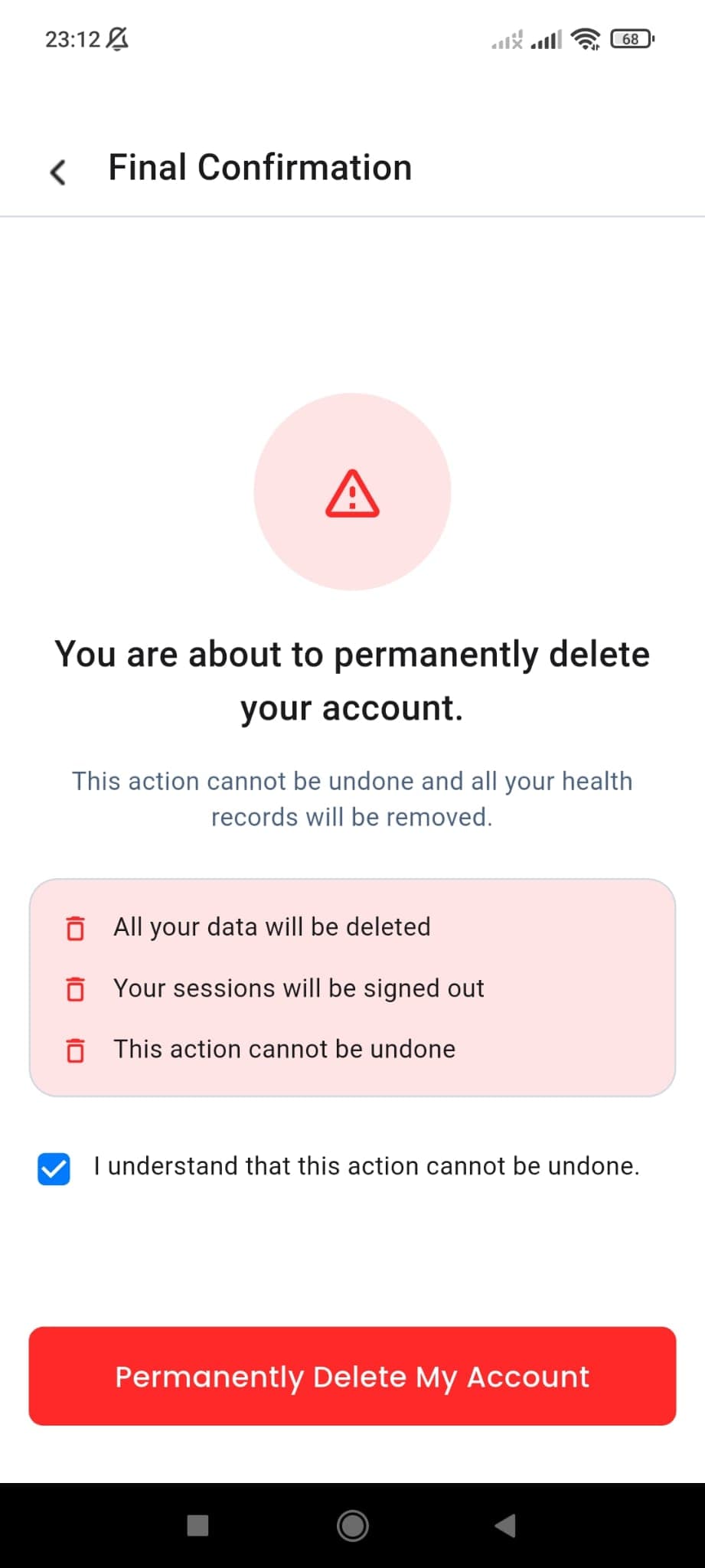
Give final confirmation
Confirm that the action cannot be undone and permanently delete your account.
- 5
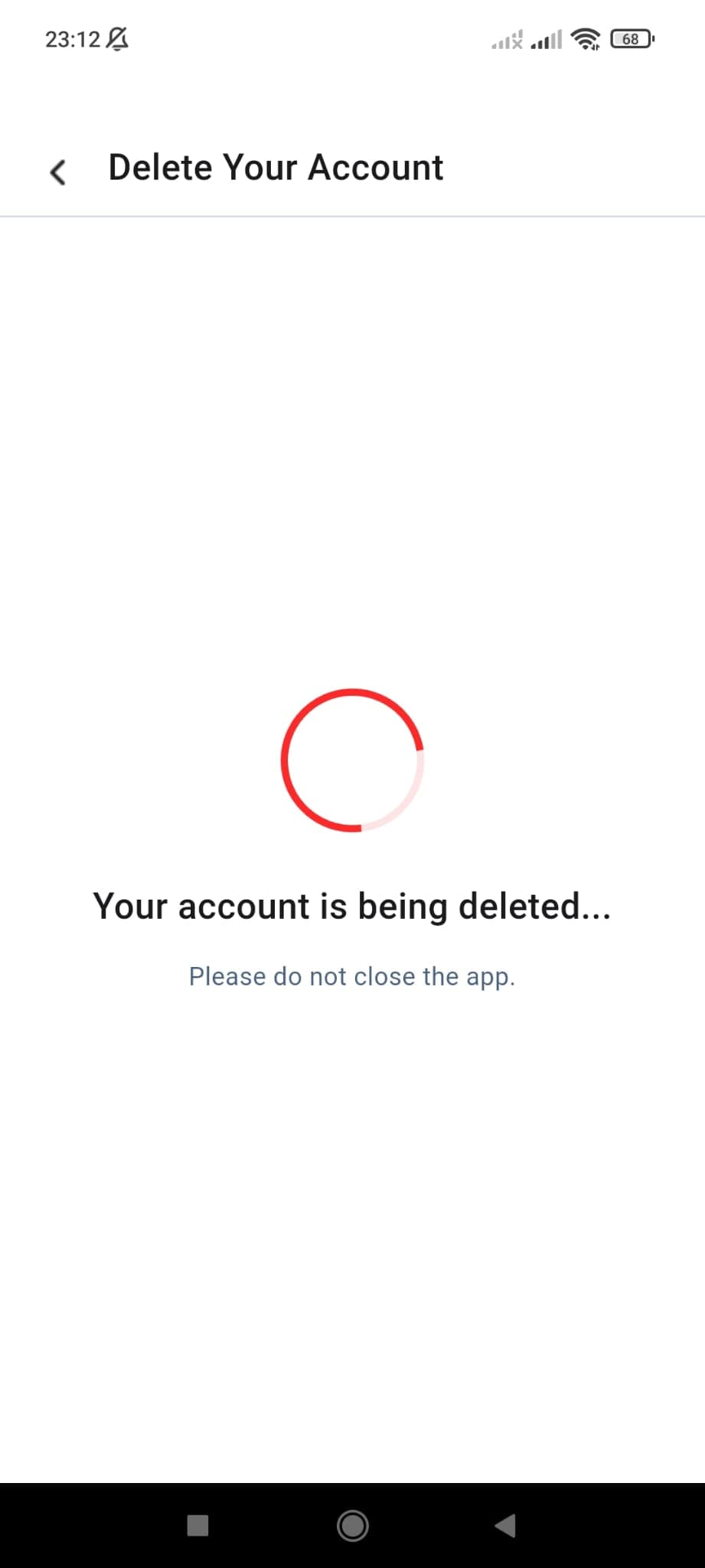
Wait until the process finishes
Do not close the app while your account is being removed and wait a few seconds for completion.
- 6
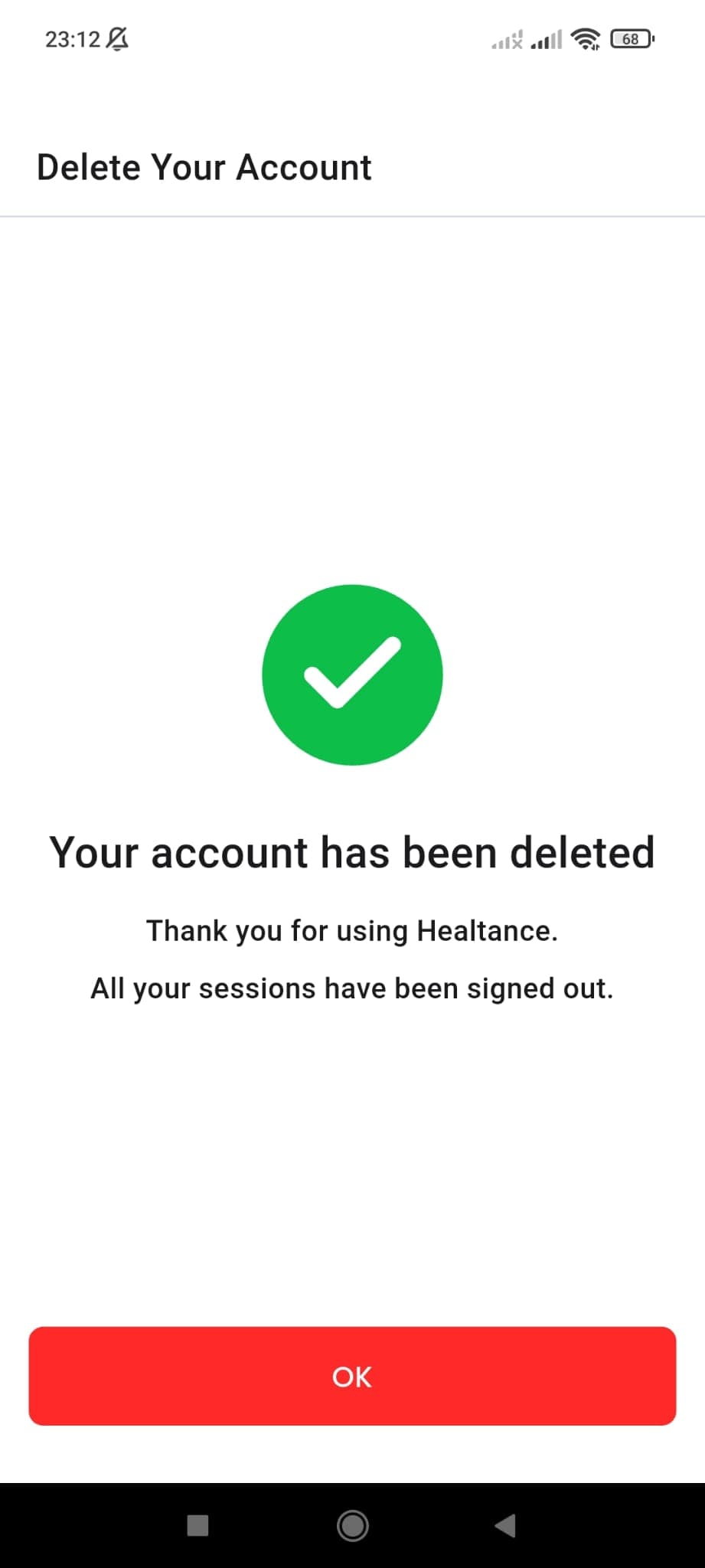
Deletion completed
Once the success screen appears, your sessions are signed out and the account is permanently removed.
This action cannot be undone
Your profile data, medication records, and measurement history are permanently removed. If you run into any issues, our support team can help.
Contact support